Excel skills
Excel functions
|
A function in Excel is a preset formula that helps perform mathematical, statistical and logical operations. Once you are familiar with the function you want to use, all you have to do is enter an equal sign (=) in the cell, followed by the name of the function and the parameters it applies to. You can access the Excel Functions from the Home ribbon > Autosum drop-down option > More Functions. More Functions will then present the Insert Function Wizard, which is used to begin executing the selected function. Below is a list of some functions that may assist in your learning. If functionThis function checks whether a condition is met and returns one value if TRUE and another if FALSE. 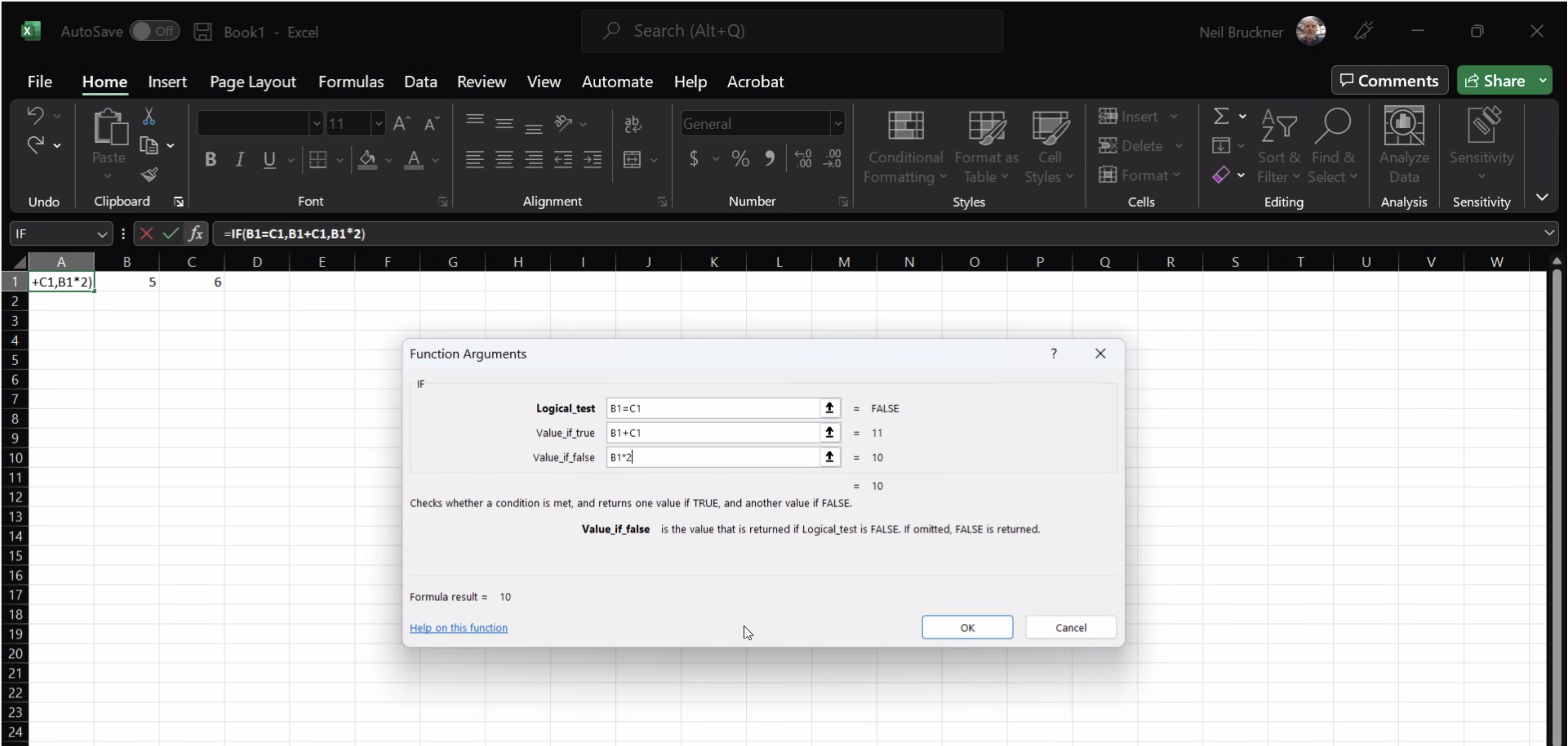
Used with permission from Microsoft. Choose functionThe CHOOSE function returns a value from a list using a given position or index. The values provided to CHOOSE can be hard-coded constants or cell references. 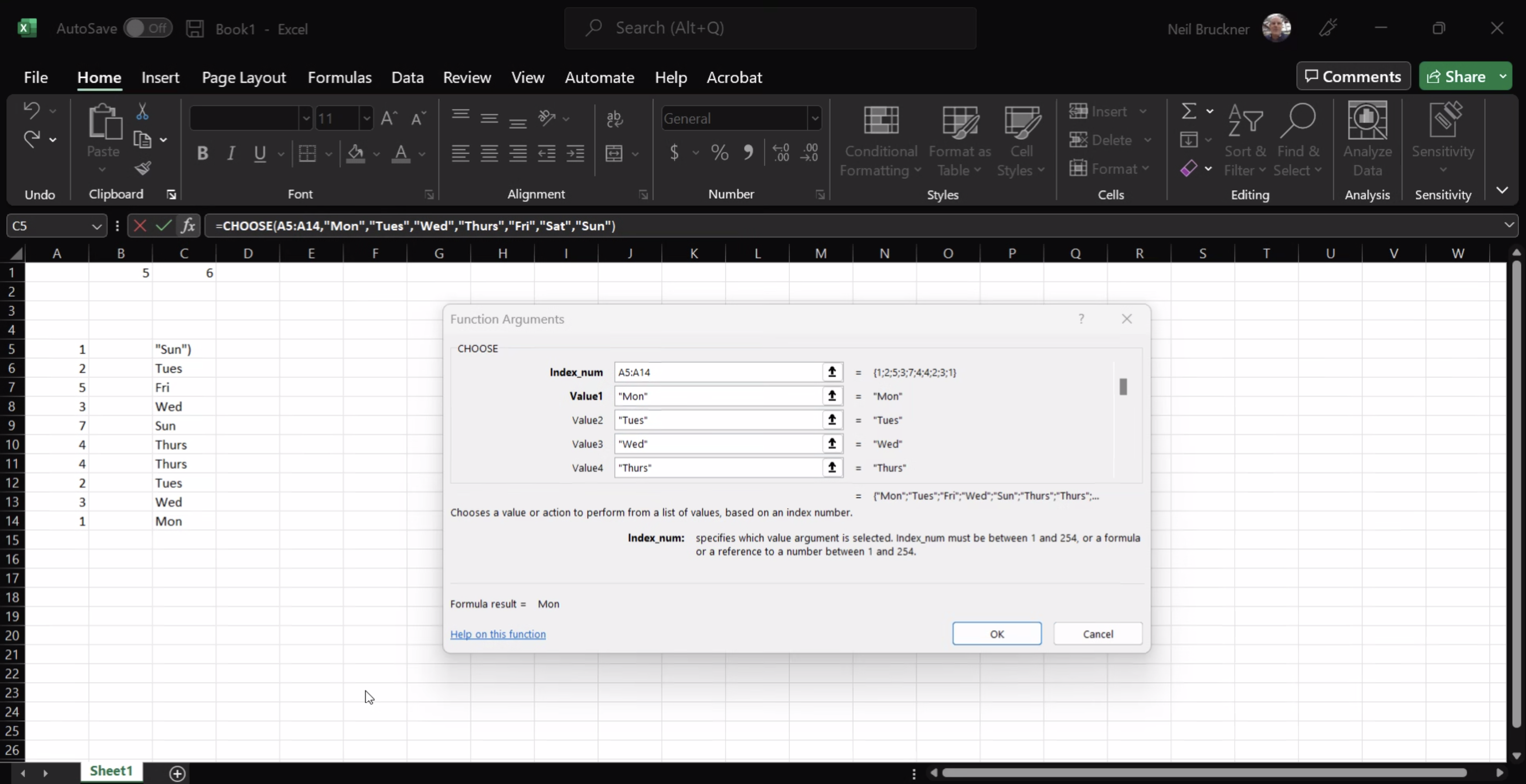
Used with permission from Microsoft. CountIf functionUse COUNTIF, one of the statistical functions, to count the number of cells that meet a criterion. 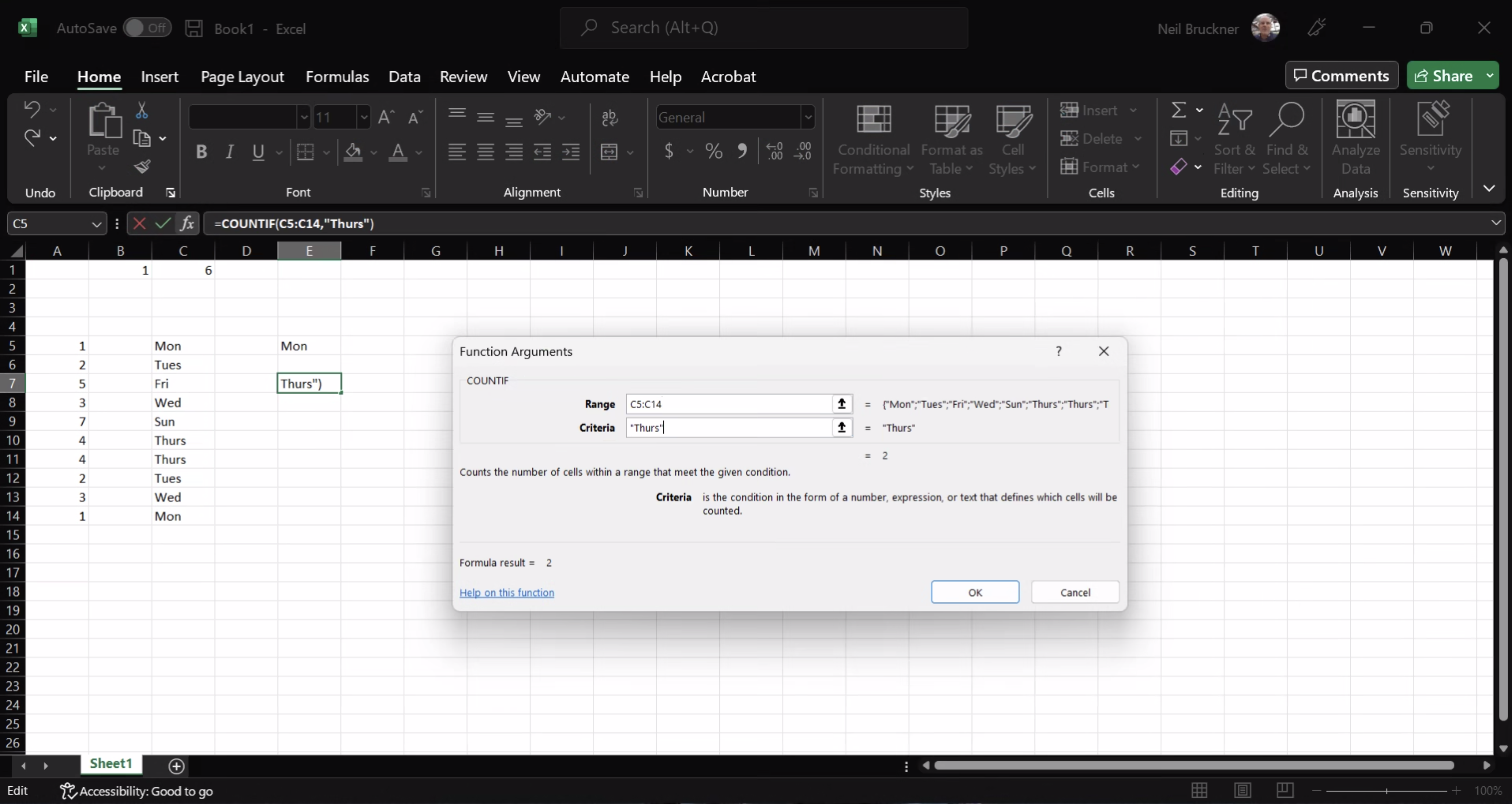
Used with permission from Microsoft. vLookup functionLookup functions in Excel mean referencing a cell to match values in another row or column against the cell, thereby retrieving the corresponding results from the respective rows and columns. 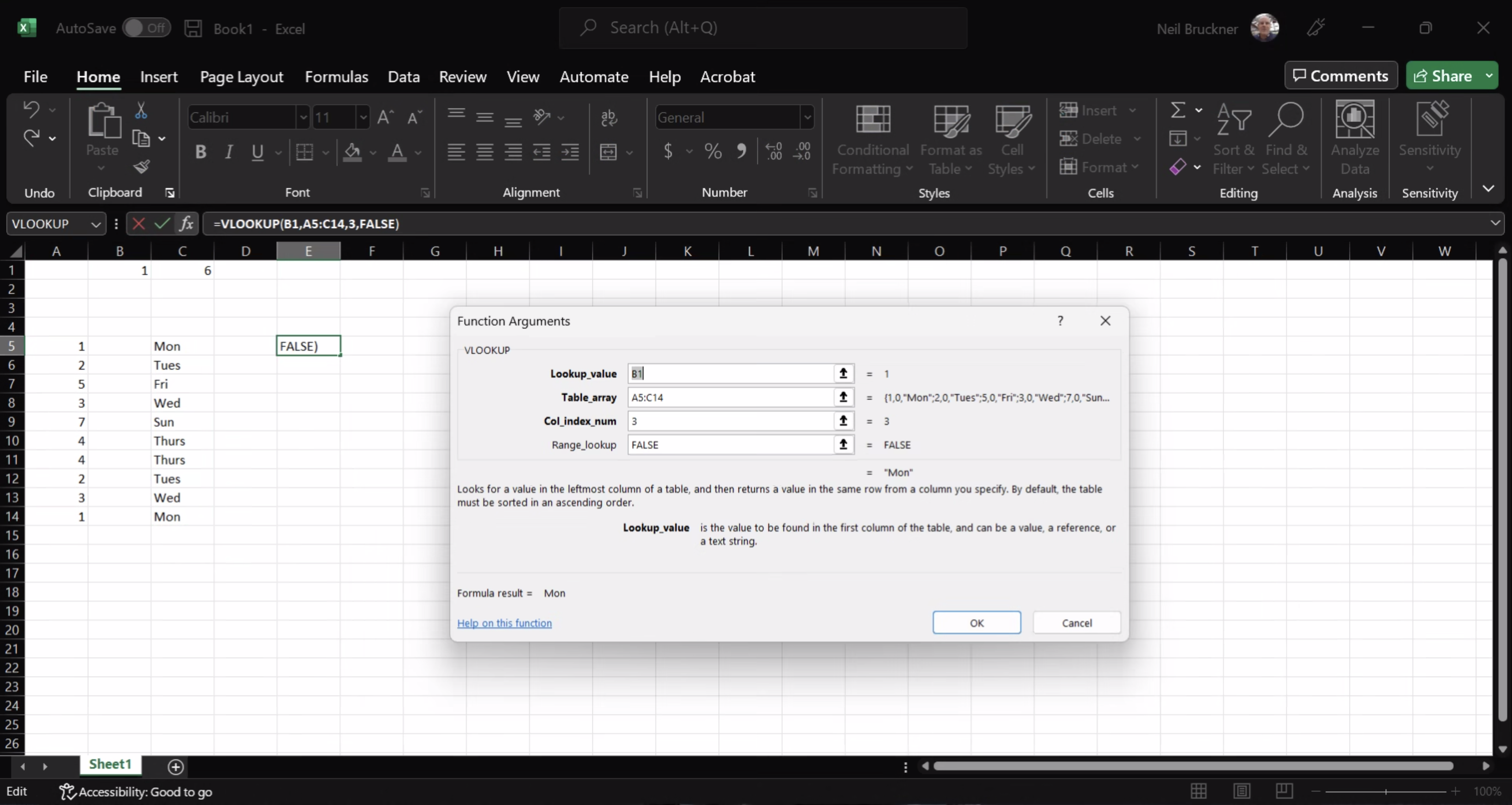
Used with permission from Microsoft. Standard deviation functionThe STDEV.S function is used to estimate the standard deviation based on a sample of data. It ignores logical values and text in the data. If you have the entire population set, you would use the STDEV.P function. 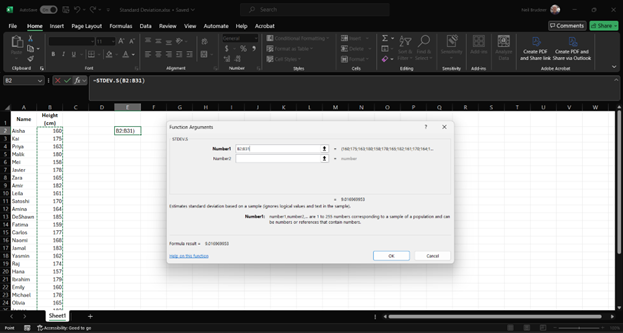
Used with permission from Microsoft. |
|
For an exhaustive list of Excel functions, please visit the Microsoft Support website via the button below. |