Unit 3 software
|
In Unit 3, we will use LibreOffice Calc and Base for databases and Microsoft Excel for spreadsheets. Ensure these programs are installed on the devices you plan to use. If you need assistance, follow these steps:
Installing ExcelMicrosoft Excel is a powerful tool for formatting, organising and performing calculations on data within a spreadsheet. By structuring data in Excel, data analysts and other users can make information more accessible to view and update as data changes. Excel's grid layout, with cells arranged in rows and columns, efficiently handles complex datasets. Checking for Excel You may already have Excel installed on your computer. If not, you can access it through your Microsoft 365 account by logging in with your school email account. Steps to Install Microsoft Excel
Contact your teacher or school technician for assistance if you encounter any issues. 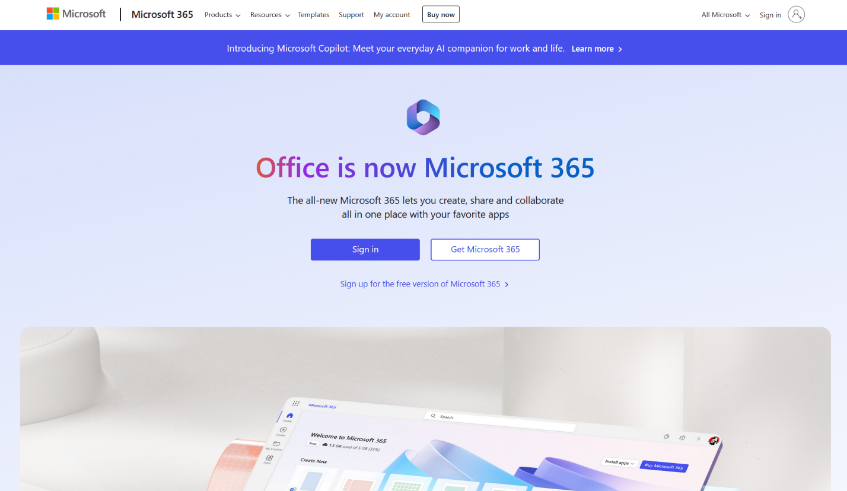
Used with permission from Microsoft. 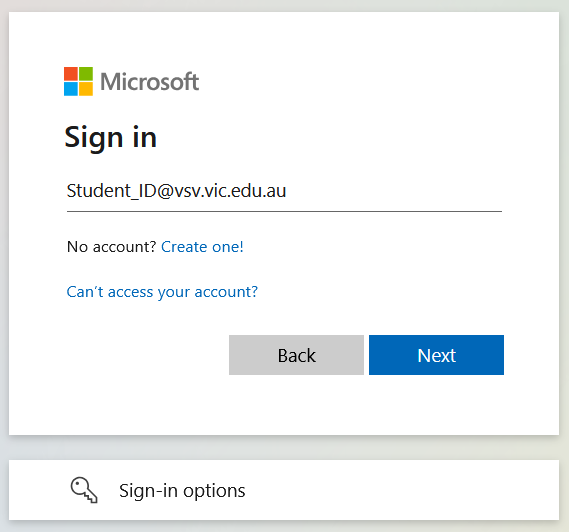
Used with permission from Microsoft. If you use your VSV credentials, it’s the same username and password you use to log in here at VSV Online – Student_Number@vsv.vic.edu.au. 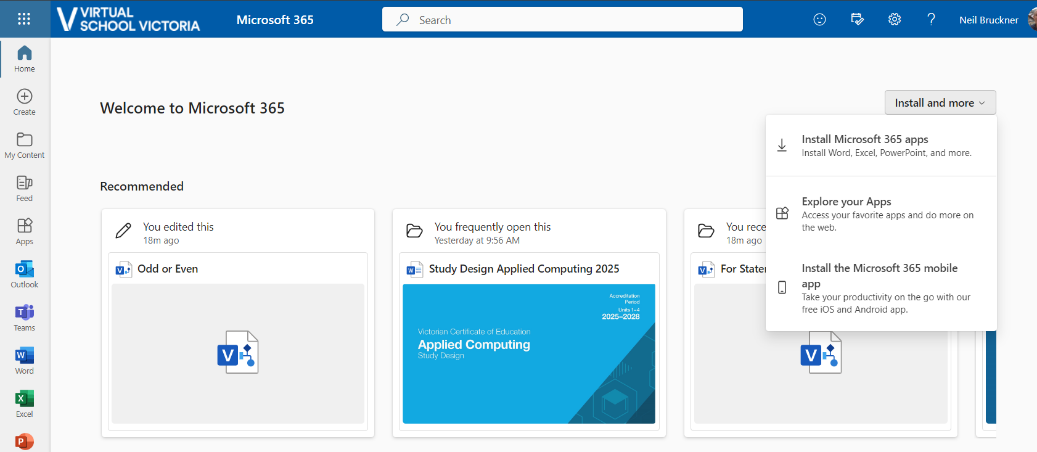
Used with permission from Microsoft. From here, you can access the Microsoft 365 online apps on the left side of the website. More importantly, though, we want you to have the full desktop version of Excel. On the right side of the page, after signing in, you will see the button 'Install and more'.
|